
Open your eligible creator account’s Balance and LIVE rewards area, inspect the amount available for payout, and use a method offered there. Complete the required verification, review limits and fees, then retain the request reference until the funds arrive.
TikTok Help — Diamonds and LIVE rewards.
Confirm that you are viewing creator rewards
Purchased Coins are not a cash-out balance. If the screen shows viewer-side Coin quantity or recharge, move to the creator reward information relevant to the program you used. Do not try to withdraw a Coin purchase through a third-party exchange.
TikTok's Diamonds help directs creators through Profile, the menu, Balance, and LIVE rewards. The exact reward and payment controls can vary, so inspect the options available in your account rather than expecting another creator's screenshot.
Also distinguish LIVE income from other creator programs or shop-related earnings. Different balances can have different payment processes. A guide for TikTok One or product sales should not be applied to LIVE rewards merely because both involve TikTok.
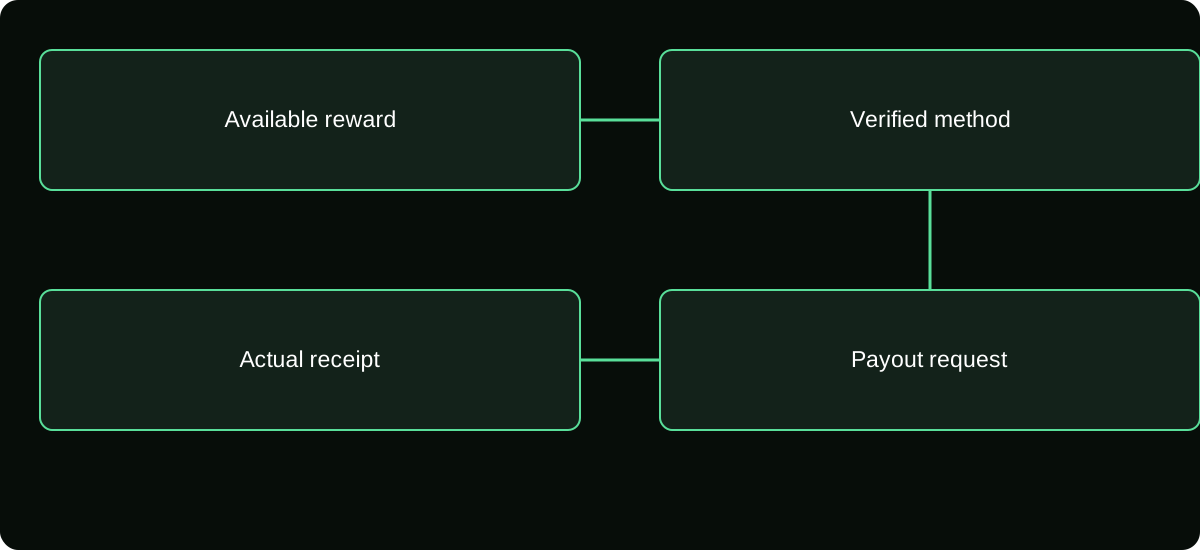
Read available, estimated, and pending amounts separately
An account may display activity or estimated rewards before an amount is available to request. Inspect the status and relevant period. Do not assume every number labelled in a reward area can immediately be withdrawn.
If your question concerns a missing Gift or Diamond metric, resolve that evidence first. A payout request cannot force a nonexistent or ineligible amount to become payable.
Write down the amount and currency actually offered for request. This creates a clear baseline for the payment investigation and avoids later comparing a bank receipt with an unrelated session estimate.
Use the payment methods offered to your account
Select an available method within the legitimate payout flow and verify the receiving details. Supported providers can vary by country, account, and program. Do not assume PayPal is mandatory or that a method appearing in one guide is offered everywhere.
Payoneer's published TikTok LIVE creator FAQ, for example, discusses its own payout arrangement and says that TikTok controls withdrawal limits while provider charges can vary. That is provider-specific evidence, not proof that every creator can use Payoneer.
If a method is absent, use current account help rather than changing your claimed country or asking an intermediary to receive funds on your behalf. An unsupported workaround can create identity, access, and payment problems beyond the original withdrawal.
Complete verification through the actual flow
Review required identity and payment information before submitting. The name and country attached to a payout destination may matter under the provider's rules. Use accurate details and follow the instructions for your account.
Never send verification documents or login codes to an unsolicited private message claiming to be a payout manager. Reach the platform or provider independently when you need clarification about a request.
If an error identifies a mismatch, correct the specific data through the legitimate settings. Repeatedly adding new destinations without resolving the underlying requirement can make the case harder to follow and does not establish eligibility.
Inspect the quoted limits, charges, and conversion
| Item | Where to verify it |
|---|---|
| Minimum amount | Current payout screen for the relevant program |
| Frequency or maximum | Account-specific payment terms and displayed controls |
| Platform deduction, if shown | Reward statement or request summary |
| Provider fee | Payment provider's applicable fee schedule or quote |
| Currency conversion | Provider or bank handling the conversion |
Do not publish one remembered withdrawal minimum as a worldwide rule. A smaller or larger figure in another account can reflect a different method or market rather than an error.
Separate the amount requested from what the provider or bank will deliver after disclosed charges. If conversion occurs, preserve the currencies and actual rate so a later difference is not automatically described as a hidden TikTok commission.
Submit once and save the reference
Review the amount and destination, complete the offered request, and save its identifier and time. If the screen delays or closes, inspect request history before submitting another withdrawal.
A second request may be a separate action, not a retry of the first. Keep each record distinct if multiple withdrawals are genuinely allowed. This helps explain totals and any frequency limitation.
Record the status exactly as displayed: requested, under review, processing, completed, failed, or another label. Do not translate “submitted” into “received.” The payment still has to pass through the relevant provider and receiving account.
Trace a delayed payout by stage
If the request remains within TikTok's review or processing stage, ask TikTok about its status using the request reference. If TikTok says funds were released, ask for the information needed to trace the receiving provider's transaction.
Payoneer's FAQ gives a typical one-to-three-business-day interval after TikTok releases a payment for that provider route. It is not a universal TikTok processing promise and does not cover every stage or every payment method.
Check for provider verification notices, an incorrect destination, or a returned payment. Preserve any error and final state. Do not pay an outside “release fee” based on a message that is absent from the actual platform or provider records.
Reconcile the amount that actually arrives
Match request amount, disclosed deductions, provider receipt, any conversion, and final bank entry. Keep them in their original currencies before comparing totals.
If the numbers differ, identify which stage explains the difference. A payment-provider fee is not the same as a change in creator reward calculation. A bank conversion can also produce a different amount from the original request currency.
Store the completed record for accounting and local tax review. The timing and classification required for your return depend on your jurisdiction and circumstances, so retain both reward statements and payment evidence rather than assuming one screenshot settles everything.
Once resolved, use the verified route for future requests and periodically review its current conditions. The practical goal is an authorized payment reaching your own legitimate destination, not an estimated cash value produced from a viewer Coin calculator.
Keep payment support separate from room moderation
If a moderator or collaborator helps during the LIVE, give them a public-facing response for payout questions without sharing access to the financial account. The person maintaining chat does not need your identity verification documents or the credentials for the receiving provider.
When you delegate accounting review, define the records and permissions explicitly. A read-only payout statement may be sufficient for reconciliation, while changing a destination is a different authority. Clear separation makes an unexpected destination change easier to identify and keeps a routine payment question from becoming unnecessary account exposure.
Frequently asked questions
Can I withdraw to a friend’s payment account?
Do not assume third-party destinations are permitted. Follow the identity and ownership conditions of the actual program and provider before using any receiving account.
What happens if a payout is marked failed?
Inspect whether the amount returned to the available reward balance and preserve the failure reason. Confirm the final state before submitting a new request.
What if my receiving payment provider asks for its own verification?
Confirm the request inside that provider’s legitimate account. Platform approval and provider requirements can be separate; do not send documents to a private message merely because it quotes your payout amount.
Sources and scope
- TikTok Help — Diamonds and LIVE rewards
- Payoneer — TikTok LIVE creators FAQ; provider-specific timing and fees