
One hundred TikTok Coins have no single worldwide USD purchase price or cash-redemption value. Use your current official checkout or original receipt to calculate their cost, then compare the Coin amount required by the feature you want to use.
TikTok Virtual Items Policy — United States.
Decide which meaning of “worth” you need
For a viewer, the practical question may be what 100 Coins cost to buy or what they can activate. For a creator, the question may concern rewards associated with viewer Gifts. These are not three ways of calculating the same exchange rate.
Purchased Coins are virtual items for eligible platform use, not a bank deposit. Holding 100 does not establish a right to withdraw a particular cash amount. Nor does spending 100 establish that the creator receives the retail purchase cost.
State the task before using a calculator: current purchase quote, historical spending cost, feature affordability, or creator reward reconciliation. This article handles the first three viewer questions. Use creator records for the fourth instead of applying a retail price.
Calculate the current cost from an actual quote
Open the official app or supported web recharge for the intended account. Record the available Coin quantity and the final price, including the currency. If an exact 100-Coin option is offered, use its actual final total.
When only another package is offered, calculate:
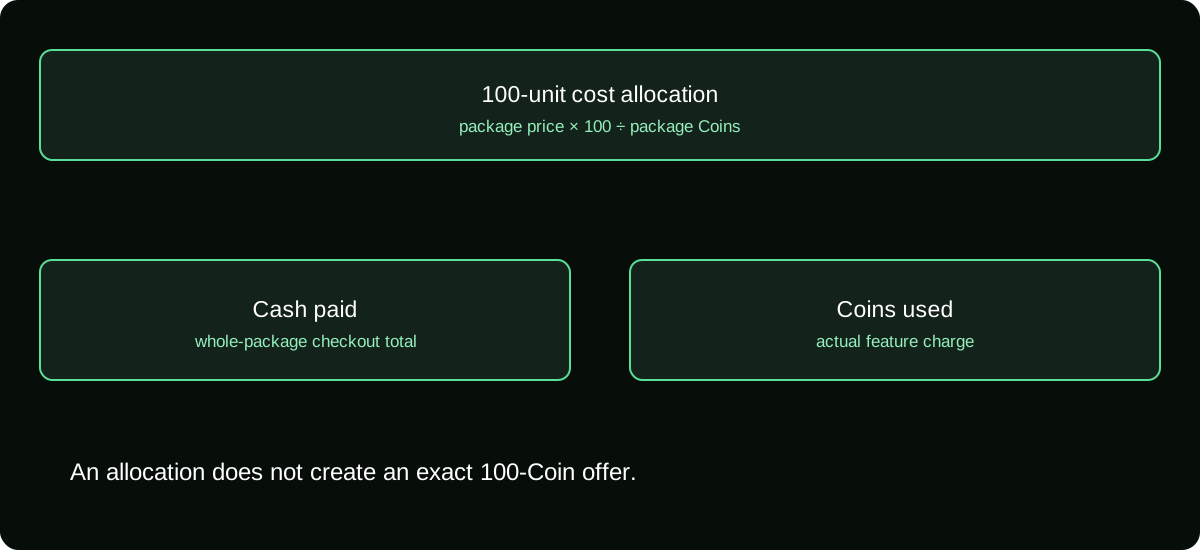
100-Coin unit-equivalent cost = quoted package price × 100 ÷ package Coins
This describes the portion of that package's cost associated with 100 units. It does not mean TikTok will sell exactly 100 at that result. Keep the whole-package price visible so the calculation does not conceal what you actually have to spend.
If the payment source adds conversion or other charges, record them separately or include them consistently in the cost basis. A local-currency quote should not be labelled an exact USD amount without a real conversion source.
Separate the unit estimate from your cash outlay
Suppose your account does not offer the exact amount you want. You may have to choose an available package or custom amount under the offered conditions. Buying more than 100 leaves a balance, but it still uses the full purchase amount today.
| Measure | What it tells you |
|---|---|
| Package checkout total | Cash you authorize now |
| Unit-equivalent cost of 100 | Allocation of that package cost to 100 units |
| Coin balance remaining | Unused platform units after your activity |
| Creator reward | A separate creator-side result, not derived here |
For a small entertainment budget, the checkout total is often the decisive figure. Do not let a low unit estimate make a much larger purchase seem like a small expense.
Work out what 100 Coins can activate
Inspect the actual Gift tray or feature cost. The selected item must be available, your account must be eligible, and the required Coin amount must fit the balance. A reference chart cannot establish all three conditions.
For an item costing g Coins, the maximum whole activations within a 100-Coin budget are floor(100 ÷ g), subject to the feature's actual rules and available balance. This is arithmetic using the displayed charge, not a claim about a particular Gift's price.
Remember repeated taps, quantity settings, and other Coin-funded actions. Plan the whole session if several actions share the same budget. A package of 100 does not guarantee every possible combination you saw in a different user's tray.
Calculate historical cost from your receipt when appropriate
If you already own the Coins, today's quote may not describe what you paid. Use the original purchase documents when your goal is tracking entertainment spending or explaining a specific charge.
For multiple packages, keep a purchase ledger with quantity and total paid. A weighted average acquisition cost can be useful for your own budget: total recorded cost divided by total Coins acquired. Clearly label it as your accounting estimate rather than a TikTok exchange rate.
Do not treat an average as proof that a particular remaining Coin came from one order. Where you need a refund investigation, use the actual order and usage entries. The cost-allocation method and the merchant's refund entitlement are different questions.
Avoid unsupported creator conversions
Third-party pages may assign a dollar result to 100 Coins and then apply an assumed commission or Diamond ratio. Even a correctly copied retail quote cannot establish all those later stages.
A viewer's package cost, the Gift's Coin requirement, Diamonds, reward adjustments, and payout fees need separate evidence. A calculator that silently assumes one constant path can produce an exact-looking result that is not verified for your situation.
If you want to support a creator, decide what you are comfortable spending. If the creator wants to know earnings, they should inspect their own rewards and payout records. Neither party needs to pretend that the viewer's retail purchase is a direct cash transfer.
Record a quote so someone else can understand it
Keep the check date, account market, purchase channel, currency, Coin quantity, final amount, and any separately known provider charge. Do not publish private billing details when explaining the calculation.
If you share a 100-Coin estimate, include the basis in plain language: it is the unit-equivalent cost from a particular package quote, not a guaranteed price everywhere. This makes the result reproducible and prevents an old number from being mistaken for a current offer.
When another source differs, compare the inputs before arguing about the arithmetic. A different package, channel, currency, or date can explain a different answer without either calculation being mathematically wrong.
Use the calculation to make a bounded decision
Check the cost and intended Gift before entering a busy stream. If the package would exceed your budget, do not justify it through the value of the unused balance. Coins left over are not a refund of the cash spent.
For future use, inspect the current feature charge again. An old tray screenshot should not become a standing instruction to send an item without reviewing its cost.
TikTok's policies support checking prices where you buy and charges before using Coins. The useful answer to “what are 100 worth?” is therefore a documented cost and an eligible use, with no invented promise of cash value or creator proceeds.
Frequently asked questions
Can I give someone exactly 100 Coins as a wallet transfer?
Do not assume peer-to-peer balance transfer is supported. A Gift is an eligible platform action, not the same as moving a Coin balance into another person’s wallet.
How should I handle rounding when allocating the cost of 100 Coins?
Retain the original receipt total and calculate with enough precision before rounding the final allocation. Do not claim the rounded allocation is a separately available package or a cash-redemption entitlement.
Can I use an old receipt to challenge a newer price?
An old receipt documents the terms of that purchase, not a guarantee that the same offer remains available. Compare the newer checkout on its actual date and conditions.
Sources and scope
- TikTok Virtual Items Policy — United States
- TikTok Virtual Items Policy — rest-of-world scope stated on the page
- TikTok Help — Gifts, purchase routes and supported gift-card redemption