
Use the Star Comment option offered in an eligible TikTok LIVE, review the message, Coin charge, and displayed conditions, then confirm if you want to proceed. If the option is absent, buying Coins does not itself enable it.
TikTok Virtual Items Policy — United States.
Establish what TikTok actually confirms
TikTok's current regional Virtual Items Policies list sending Star Comments as an example of a service that may be accessed with Coins. That confirms the feature category, not universal availability, one fixed price, or one identical interface for every account.
This distinction matters because third-party tutorials sometimes assign a fixed display duration, location, or Coin amount without showing which market and account they tested. Do not use those figures as a guarantee for your own LIVE.
Before spending, inspect the description and charge inside the feature you are actually offered. If its behavior is unclear and exact visibility matters to you, pause and consult current in-app help rather than relying on an animation in someone else's video.
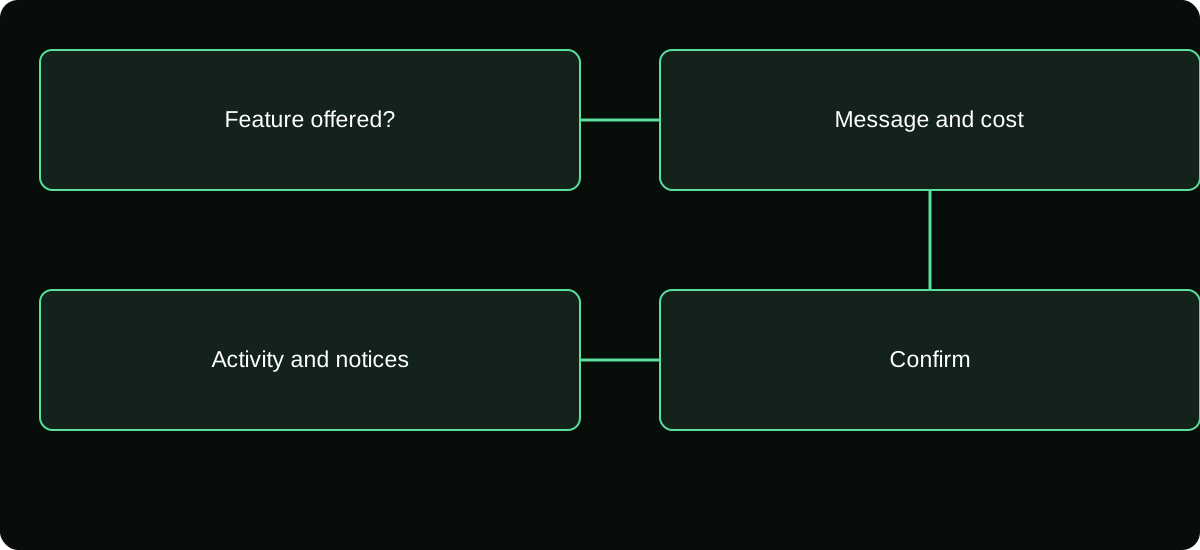
Check the LIVE and account before looking for a payment
Open the intended creator's current LIVE and confirm the account identity. Inspect the available comment controls for an option named Star Comment or the corresponding paid-comment feature. Its placement may differ, and a standard comment field alone does not prove paid comments are enabled.
If the option is missing, distinguish account availability from a creator's settings and a general comment restriction. You may be able to comment normally while a paid feature is not offered. Conversely, having Coins does not prove you can post in a moderated or restricted chat.
Do not ask a seller to activate the control by logging into your account. The official feature must be available through TikTok, not through a private “unlock” purchase.
Review the message and total before confirming
Use the controls presented by your current LIVE rather than an assumed universal sequence. A careful flow is:
- Select the offered Star Comment action within the official LIVE interface.
- Enter the intended text and check any content or length conditions shown.
- Read the Coin amount and any available feature description before authorizing use.
- Confirm that you are addressing the intended room and that your message does not expose private information.
- Complete the displayed confirmation only if the offered terms match what you want.
- Check the relevant activity if you need to verify the Coin deduction.
These are verification steps, not a claim that every version has the same icon or a separate confirmation screen. If the interface activates a paid action immediately, take particular care before tapping it.
Keep visibility separate from guaranteed attention
A paid comment feature may change how a message is presented under its displayed conditions. It does not establish a guaranteed personal answer, a purchase of the creator's services, or permission to override moderation.
If you need to ask a practical question, make the wording short and understandable. Avoid including account credentials, payment details, medical information, or private contact data simply because you hope the creator will notice it.
Treat a creator's claim that payment guarantees an outcome separately from TikTok's actual feature terms. A promise made in chat does not automatically create a platform-backed service, refund right, or special access to your account.
Understand moderation before paying
Paid participation is still participation under platform and room rules. Review any warning or notice shown before posting. A message that would be inappropriate as a normal comment does not become acceptable because Coins were used.
If the message disappears, do not immediately conclude that payment failed. The explanation could involve moderation, feature conditions, or a display issue. Inspect the account activity and relevant notices before submitting another paid message.
Avoid repeatedly sending near-identical comments to test visibility. That may create multiple legitimate deductions and a moderation problem at the same time. Use official help for the specific event rather than escalating the amount spent.
Verify a deduction without promising a refund
Record the LIVE, time, message action, Coin amount displayed, and any resulting activity entry. This creates a concrete event to investigate if the behavior differs from what was offered.
| Question | Evidence that helps |
|---|---|
| Did I authorize an action? | The feature prompt or confirmation you saw |
| Were Coins used? | Account Coin activity |
| What was offered? | The displayed feature description and terms |
| Why was the message unavailable? | Any moderation or account notice |
Your receipt for buying Coins does not prove what happened to a later comment, and a creator's reply is not the billing record. Keep the purchase and feature-use questions separate.
Refund or reversal treatment depends on the applicable terms and actual issue. Do not assume lack of a reply is a defective purchase, or that a stranger can reverse the action in exchange for another payment.
Troubleshoot an unavailable option proportionately
Check whether your app is current and whether other supported comment actions work. Review account and LIVE restrictions using TikTok help. If a feature is being offered selectively, a normal app update may not make it appear.
Do not falsify age, switch claimed country, or purchase an account to copy another user's controls. Such actions do not establish legitimate eligibility and can complicate account and payment problems.
If your purpose is simply to participate, use the ordinary comment option when available. A paid feature should be an optional choice, not a condition you feel forced to meet to enjoy a stream.
Decide whether the feature meets your actual goal
Before any Coin-funded comment, ask what you are buying under the displayed terms. If your goal is stronger visibility, evaluate that offer. If your goal is a guaranteed answer, verify whether any such guarantee actually exists rather than inferring it from a price.
Set a session budget in advance and avoid repeated paid messages after silence. A busy creator may miss a comment, decline to answer it, or be unable to respond. Those social outcomes should not become an uncontrolled spending experiment.
For an unresolved technical discrepancy, contact official support with the event details and a factual description. The useful result is an explanation of the offered feature and recorded action, not an unsupported promise of a fixed number of seconds on screen.
Frequently asked questions
Is a Star Comment the same as a Gift?
They are distinct possible Coin-funded actions. Inspect the interface and terms for the action you select rather than assuming a Gift animation and a paid message behave identically.
Can I delete personal information after sending it?
Use any legitimate comment-management option available and contact support if needed, but do not assume deletion removes what viewers already saw. Avoid including sensitive information before posting.
Can an ordinary viewer sell me priority access to a creator’s comments?
A private promise does not establish an official paid-comment feature. Use the actual TikTok controls and avoid handing credentials or verification codes to another viewer.
Sources and scope
- TikTok Virtual Items Policy — United States
- TikTok Virtual Items Policy — rest-of-world scope stated on the page